Loose Take app icon Loose Take
Local On device

Looks like A minor. High

Find the song in what you caught.

Nothing leaves your phone. Analysis runs on the device. No account, no network, no analytics.

It doesn't record. It doesn't listen. Bring what you already caught — a voice memo, a bounce, a file.

It guesses. You decide. The meter admits when it isn't sure — that's on purpose.

It won't write your song. It helps you finish yours — into GarageBand or Logic.

Get on the beta list
Signal chain Four screens, start to finished
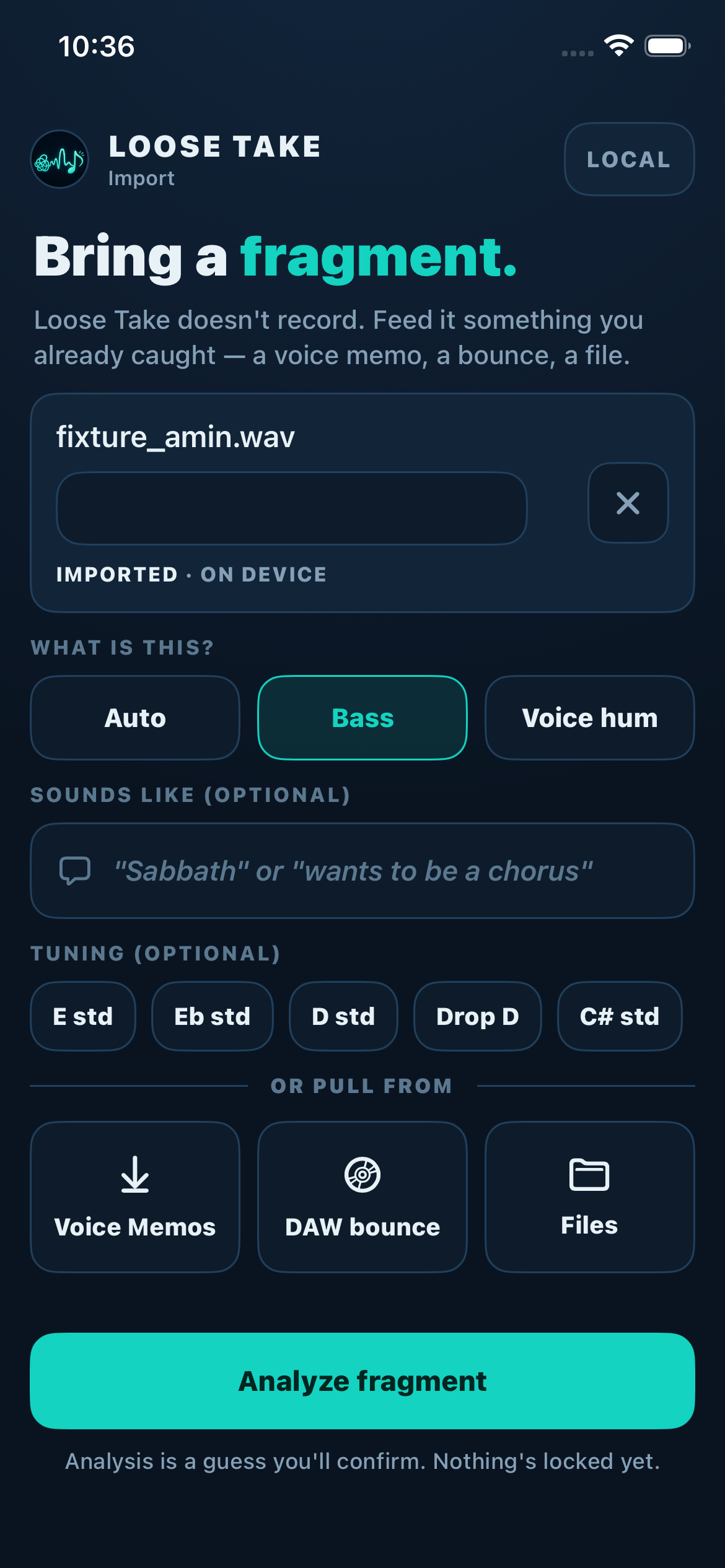
Loose Take import screen — a fixture.wav fragment loaded on device, with what-is-this, tuning, and source options below
Import

Bring a fragment.

You import audio you already have: a voice memo, a DAW bounce, a file. It never records or listens. You can tell it what it's hearing — bass, voice hum — or let it guess; tuning is optional.

Import-only. Nothing leaves your device.
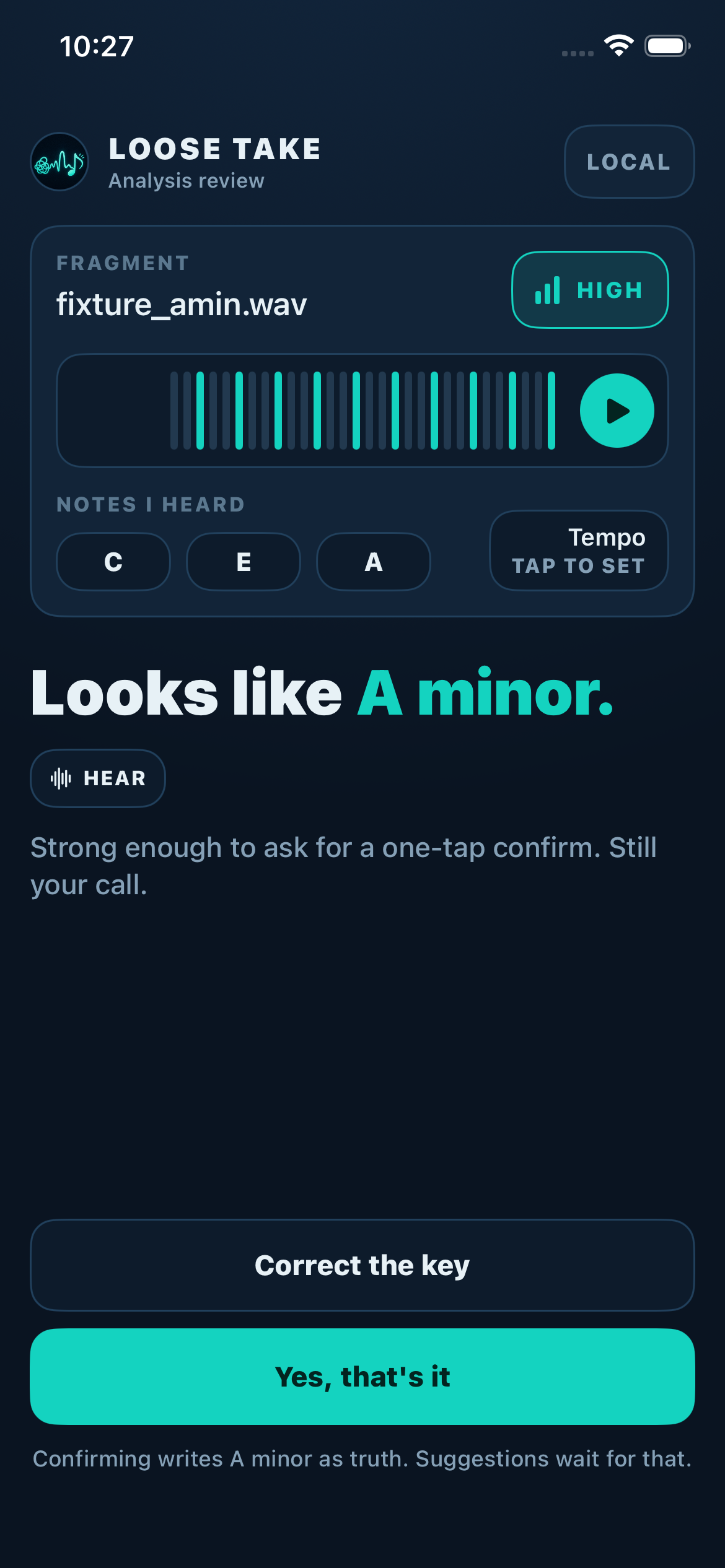
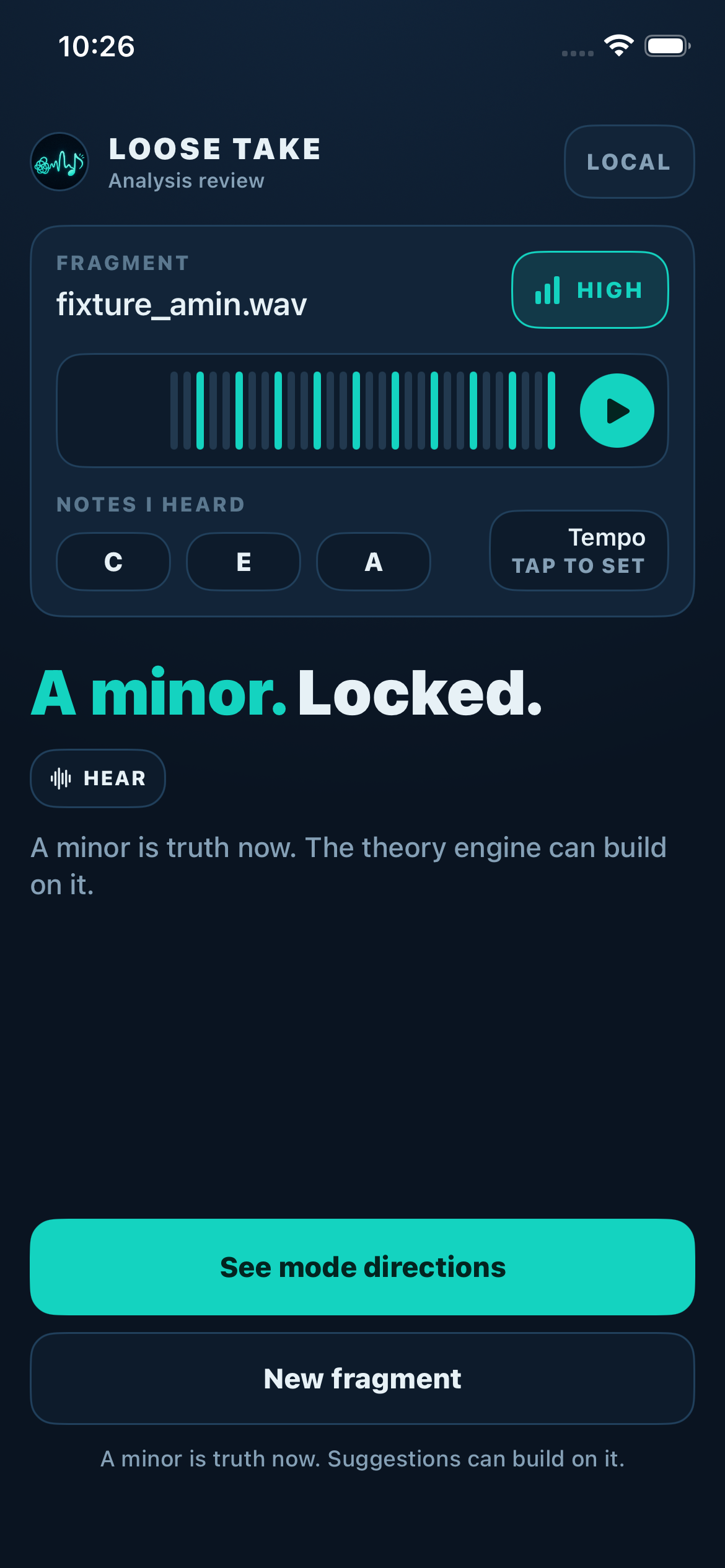
Loose Take review screen — notes heard C, E, A, a playable envelope, a HIGH confidence badge, and a one-tap confirm
Analyze

It guesses. You decide.

On-device analysis reads the pitches and shows its work: the notes it heard (C, E, A), a playable envelope of your take, and a confidence badge — HIGH, MEDIUM, or LOW, never faked. It names its guess ("Looks like A minor.") and asks for a one-tap confirm.

Strong enough to ask for a one-tap confirm. Still your call.

Confirming writes A minor as truth. Suggestions wait for that.

Loose Take confirmed screen — the key is locked to A minor and downstream suggestions now build on the confirmed answer
Lock

Your answer becomes truth.

Confirming locks the key. Everything after this builds on your answer, not the guess — the theory engine is not allowed to read an unconfirmed detection.

If the guess was wrong, you correct it and your correction wins.

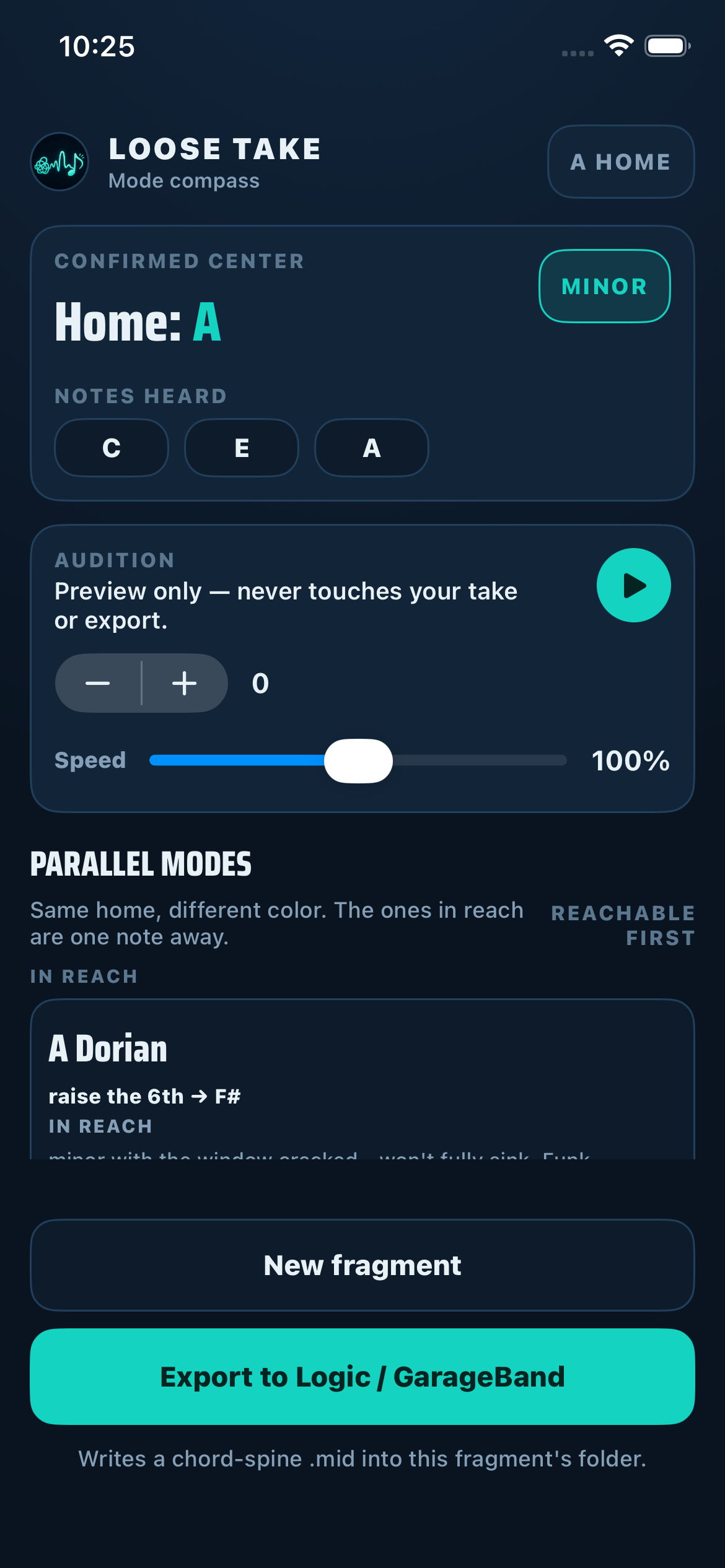
Loose Take mode compass — parallel modes to A minor ranked by closeness, with the exact change named and an audition preview
Export

See where it can go.

The mode compass ranks parallel modes by how close they are to your take — the ones in reach are one note away, with the exact change named (raise the 6th → F#). Audition previews pitch and speed without ever touching your take.

Then it writes a chord-spine .mid into the fragment's folder and you finish the song in Logic or GarageBand.

Same home, different color. The ones in reach are one note away.

It guesses. You decide.

The meter admits when it isn't sure — that's on purpose.

What it does
  • Runs analysis on the device.
  • Shows HIGH / MEDIUM / LOW — never faked.
  • Writes a chord-spine .mid into this fragment's folder.
What it won't
  • Record or listen.
  • Phone home.
  • Write your song.
  • Build on an unconfirmed guess.
Status iOS beta · in build

Not shipped yet. Close.

It's in build for iOS. Leave an email and I'll send a TestFlight invite when the next round opens.